
One moment, everything is working. Then the lights flicker, the power drops, and your desktop PC will not start. The television may still turn on, but the sound system is dead. A smart-home hub keeps rebooting. Even the router begins behaving strangely.
That is when reviewing power surge damage to electronics insurance becomes less about one broken device and more about answering a few practical questions: What caused the surge? Which policy wording applies? How much is the deductible? And what proof can you provide?
The device itself matters, of course. But the cause of the event often matters more.
Important: “Power surge claims often depend on the cause of the surge, not only the damaged device.”
This guide explains which parts of a policy are worth checking after a voltage fluctuation damages household electronics. It does not promise that a particular loss will be covered. Coverage depends on the policy wording, endorsements, exclusions, and the facts recorded after the incident.
What Is a Power Surge?
A power surge is a brief rise in electrical voltage above the normal level supplied to a device. You may also see it described as a voltage spike, electrical transient, overvoltage event, or power fluctuation.
Some surges cause immediate and obvious damage. A computer will not power on, a television shows no picture, or an amplifier produces a burnt smell. Other problems are less dramatic. A device may restart randomly, lose network connectivity, develop damaged ports, or fail several days after the incident.
That delay can make documentation difficult. Write down what happened while the timeline is still fresh, even when you are not yet sure which devices were affected.
Lightning Surge and Utility Surge Are Not the Same
A lightning-related surge may reach electronics through power lines, internet cables, telephone lines, or connected equipment. A direct strike is not always necessary. A nearby lightning event can also create a voltage spike that travels through connected systems.
A utility-related surge has a different starting point. It may occur during grid switching, transformer trouble, service restoration after an outage, or another disturbance in the electricity supply.
From an insurance perspective, that difference can be important. A policy may discuss lightning under covered causes of loss while placing utility service interruptions, artificially generated electrical current, mechanical breakdown, or similar events in another section.
Start with the timeline:
Did the failure happen during a storm? Did the power return immediately before the devices stopped working? Were nearby homes or businesses affected? Did the utility issue an outage or service notice?
You do not need to solve the technical cause yourself. You do need to collect enough information for the cause to be reviewed properly.
What to Check in Power Surge Damage to Electronics Insurance

When reading the policy, avoid jumping straight to the section on personal property. Begin with the cause of loss, then work through the related definitions, exclusions, deductible, valuation terms, and claim duties.
Covered Cause of Loss
Look for references to lightning, electrical damage, sudden and accidental loss, power interruption, utility service, and artificially generated electrical current.
The exact wording matters. One policy may address electrical current directly, while another handles the same issue through an exclusion or endorsement. Read nearby definitions as well. A familiar word can have a narrower meaning inside an insurance contract.
Personal Property Coverage
Most household electronics fall under personal property coverage. That may include televisions, computers, networking equipment, speakers, gaming consoles, smart-home devices, and other equipment used around the home.
However, special rules may apply to property used for business. A family laptop and a high-end workstation used for paid client projects may not be treated in exactly the same way.
Check whether the policy settles damaged property using replacement cost or actual cash value. Replacement cost generally considers the price of a comparable replacement. Actual cash value may account for the item’s age, condition, and depreciation.
For older electronics, that difference can be substantial.
Deductible
The deductible is the amount applied before an insurer pays an eligible claim. Compare it with the combined value of all confirmed damage, not only the first device you notice.
A failed smart plug by itself may be worth less than the deductible. A damaged PC, monitor, router, audio receiver, network storage unit, and smart-home controller could produce a very different total.
This is why a complete item list matters.
Exclusions and Limitations
Check for wording related to wear and tear, deterioration, mechanical breakdown, faulty components, business property, data loss, power interruption, and utility service.
Prior condition can also become relevant. A receiver that had been cutting out for months presents a different claim question from several previously reliable devices that stopped working immediately after the same outage.
Do not assume that an exclusion settles the issue simply because it contains the word “electrical.” Read the full clause and the wording around it.
Does a Surge Protector or UPS Make a Difference?

A surge protector or uninterruptible power supply can help establish how the equipment was connected when the event occurred. It may also contain useful labels, warning lights, or event logs.
Take photos before unplugging or rearranging everything. Record the brand, model, purchase date, connected devices, protection rating, and the condition of any indicator light. If a UPS stores voltage events, battery transfers, shutdowns, or overload messages, save those logs.
Keep the damaged surge protector or UPS with the other affected equipment. Do not throw it away just because it looks normal.
Its presence does not settle the claim by itself. A basic power strip, a surge suppression device, and a battery-backed UPS do not provide the same type or level of protection. Documentation is more useful than broad statements such as “everything was protected.”
Ask for a Detailed Repair Estimate
A repair estimate gives the claim reviewer something more useful than “the computer is broken.” It should identify the device, describe the reported symptoms, explain what was tested, and state whether repair is practical.
For power surge damage to electronics insurance, a strong estimate may include the brand, model, serial number, inspection date, damaged components, repair cost, parts availability, and the cost of a comparable replacement when repair is not economical.
The wording should stay factual. A technician can report that a power supply, circuit board, network port, or control module failed. The technician does not need to decide whether the insurance policy covers the loss.
Custom computers deserve extra attention. Ask for component-level findings where possible. A desktop tower may contain a separate power supply, motherboard, graphics card, storage drives, cooling controller, and expansion cards. One part may have failed while another still tests normally.
Related Posts
The same principle applies to audio systems. An amplifier, DAC, powered speaker, subwoofer, and streaming unit should not be grouped under one vague line such as “stereo equipment.”
Create a Damaged Item List
Make the list while the equipment is still available for inspection. Use exact descriptions rather than broad labels.
“Samsung 27-inch 4K monitor” is more useful than “screen.”
“Eight-port managed network switch” is more useful than “internet box.”
For each item, record:
-
Brand, model, and serial number
-
Approximate purchase date and price
-
Condition before the incident
-
Symptoms after the incident
-
Personal, hobby, or business use
-
Receipt, order history, photo, or warranty record
-
Repair estimate or current replacement price
A receipt is helpful, but it is not the only form of proof. Online order histories, credit card statements, product registrations, photographs, original boxes, manuals, and account records may also help establish ownership.
Photograph labels and serial numbers while they are easy to access. Also keep the original image files rather than sending yourself compressed screenshots.
Common Electronics That May Be Affected
A surge can move through a group of connected devices, so inspect more than the item that first caught your attention.
Home Lab Equipment
A home lab may include servers, network-attached storage, managed switches, firewall appliances, external drives, wireless access points, and a rack-mounted UPS.
List each device separately. Also note whether the equipment is used as a hobby or supports paid work. Business-use limits may become relevant even when the equipment is physically located at home.
Desktop PC and Gaming Setup
A PC setup often includes much more than the tower. Check the monitor, docking station, external storage, speakers, network equipment, charging devices, and connected peripherals.
Do not rely only on whether the computer turns on. Damaged network ports, unstable power supplies, display issues, storage errors, and failed USB connections may appear later.
Audio Gear
Audio equipment can be especially difficult to document because components are often bought separately over several years. An AV receiver, integrated amplifier, mixer, DAC, studio monitor, subwoofer, preamp, and streaming player should each have its own entry.
Use separate receipts and serial numbers when available. Avoid assigning one estimated value to the entire setup unless it was actually purchased as a single system.
Smart Home Devices
Smart-home losses may involve hubs, thermostats, cameras, doorbells, alarm panels, lighting bridges, smart locks, voice assistants, connected appliances, and motorized blind controllers.
Some of these devices may belong to an internet, utility, or security provider. Confirm ownership before adding them to the claimed property list.
Damage Scenarios and Documents to Gather
| Damage Scenario | Policy Area to Check | Documentation |
|---|---|---|
| Lightning surge | Covered peril wording | Weather report, photos |
| Utility surge | Exclusion wording | Electrician report |
| Device failure | Wear and tear issue | Repair estimate |
Use the table as a starting point. The actual file may need several types of evidence, especially when the cause is unclear or several devices failed at different times.
Put the Claim File in Order
You do not need an elaborate filing system. One digital folder is enough.
Include the policy and endorsements, photographs, damaged item list, receipts, repair estimates, UPS logs, weather information, utility notices, and notes from phone calls. Add the date and approximate time of the incident to the top of the folder or document.
Then arrange the damaged items by room or system. For example, keep the PC, monitor, router, and external drives together. Group the receiver, speakers, television, and streaming equipment separately.
This makes the loss easier to follow and reduces the chance that a smaller device will be forgotten.
What to Do Next
Begin with the facts you can document today. Write down the timeline, photograph the equipment, save any UPS records, and prepare the damaged item list before replacing or discarding devices.
Next, compare the repair estimates with the deductible and the policy’s valuation method. That will give you a more realistic picture of the loss than focusing on one expensive item.
A well-organized review of power surge damage to electronics insurance should leave the cause, affected property, estimated cost, and supporting records easy to understand. That is the goal: a clear account of what happened, without guesswork or unnecessary filler.
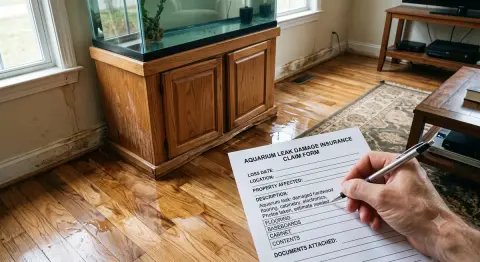
While electrical issues are a common concern, other unexpected household accidents like water damage also require specific coverage, which you can read about in our guide on large aquarium leak insurance.
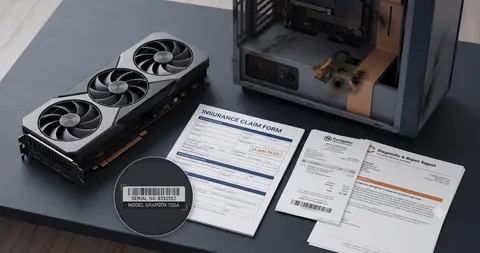
If the surge affected your custom PC, you can read our guide on filing a high-end GPU insurance claim for specialized advice on protecting premium hardware.
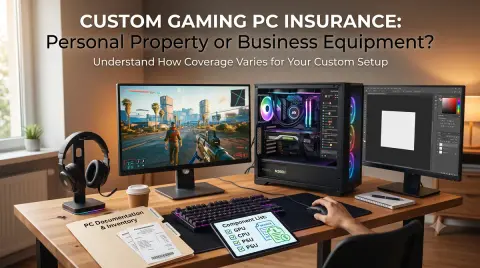
If your damaged electronics include high-end systems, you may also want to consider how your policy classifies these devices by reading our guide on custom gaming PC insurance.
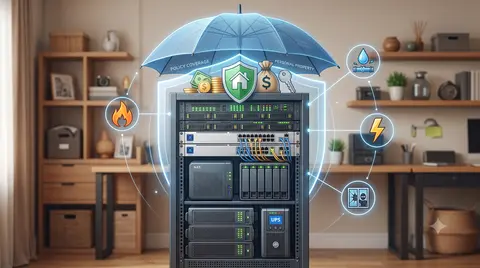
If your setup includes more complex equipment, you may also want to consider how your coverage applies to home lab server rack insurance.
In addition to electrical issues, other specialized household setups require careful documentation when filing a claim, which is why it can be helpful to review a water damage claim checklist for aquariums and plant rooms.
Related Reference: To explore specific valuation and documentation strategies, see power surge claim checklist for electronics.
Related Reference: To explore specific valuation and documentation strategies, see hobby become business use for home insurance.
Policy Variability & Editorial Notice
Insurance policy provisions, coverage sublimits, exclusions, deductible structures, and valuation methods vary substantially by carrier, policy edition (e.g., ISO HO-3, HO-5, HO-4, HO-6), state regulatory mandates, and individual endorsement schedules. The scenarios, checklists, and valuation models presented above are educational frameworks designed to assist policyholders in organizing pre-loss records and conducting informed discussions with licensed professionals. They do not constitute legal, financial, or formal underwriting advice. Always verify specific coverage terms, peril definitions, and appraisal requirements directly with your licensed insurance carrier or state insurance department.
Related Guide: If an electrical surge affected multi-component audio-visual systems or receivers, see our dedicated protocol on home cinema equipment insurance claims.